You will need to be logged into the cPanel account to follow the steps.
If you’re not sure how to access your cPanel service — please, follow this guide before continuing: How do I Login to cPanel?
Getting started #
If your domain is using our name servers (ns1.dnsrecord.com.au & ns2.dnsrecord.com.au), you can manage your individual DNS records, such as the “A”, “MX”, “CNAME”, and “TXT” records from within the “Zone Editor” of your hosting/cPanel service.
Editing DNS records #
To begin modifying DNS records within your hosting/cPanel service:
1. First, login to cPanel
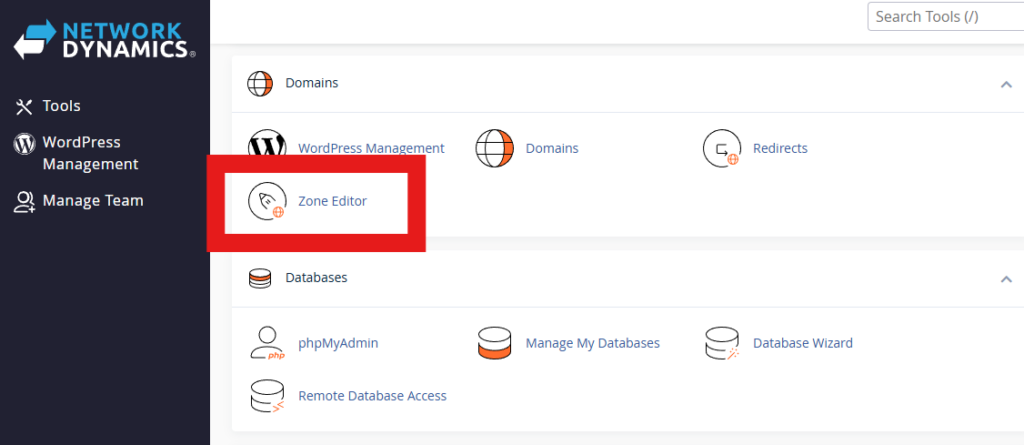
2. From the list of tools, select “Zone Editor” from the Domains section
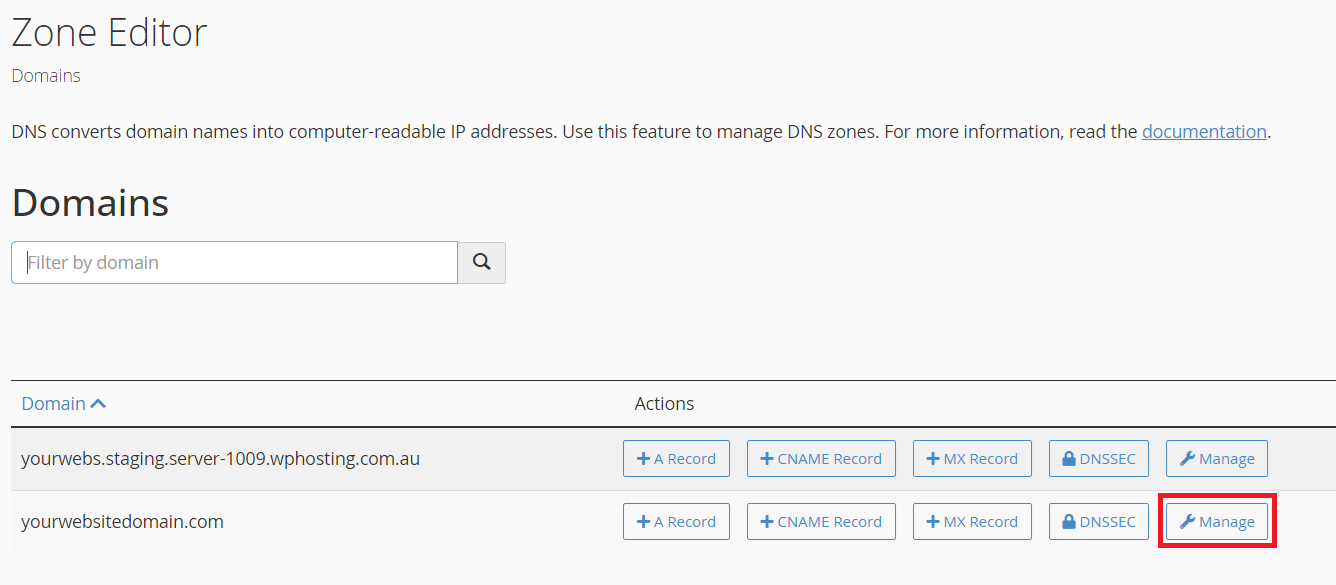
3. From the Zone Editor page, you will see a list of domains configured in your hosting/cPanel service. Find the domain you want and click the “Manage” button to the right
4. To add a new DNS record, click on the down arrow beside “Add Record” and select your record type.
For more information about the different types of DNS records, please see below or click here: DNS Record Types

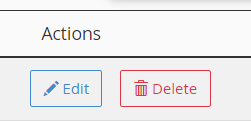
- To modify an existing DNS record, click “Edit”
- To delete a record, simply click on “Delete”
DNS Record Types #
Anatomy of a DNS record: Required Values for DNS records;
Name: This is where you will enter the domain or subdomain value that this record is to be used for.
TTL: This is the “Time To Live” value, and is measured in seconds. This is the time that the record is valid for before being refreshed.
Type: The record type, typically A, MX, CNAME, TXT, etc.
Record: The target value for the specific record. The details required to be entered here will vary between record types. We will look further into these records for each type, below.
A Records

An A record is the most basic of DNS records and is used for pointing a domain or subdomain towards a specific IP (IPv4) address. These records are also sometimes referred to as “Address Records” or “Host Records”.
A records use IPv4 addresses, which look like this: 192.0.2.25.
By default, the IP address of your server will be entered here. Alternatively, you can use the loopback address “127.0.0.1” to point it towards the “localhost” or another IP address if you need to point an A record elsewhere.
AAAA Records

The AAAA record is similar to the A record, although it uses IPv6 addresses instead. IPv6 addresses look like this: 2001:db8:abcd:0012::1
Similar to A records, you can point your AAAA record towards the localhost loopback by using “::1“.
MX Records

MX (Mail eXchange) records are used to direct email addressed to your domain to the correct mail server that handles your email.
There are two values required to be entered here. The “priority”, which is mainly used when multiple backup records exist in order to list the order of preference in which they will be used, this value is prioritised from the lowest value to the highest. The “destination” is the fully qualified domain name or sub-domain of where emails will be managed and will usually point towards an A record whether it be on your hosting service or externally such as when using third party services like G-Suite or Office 365
CNAME Records

CNAME records are used to alias one domain/sub-domain to another record and should be used to point towards an A record. While they can point to another CNAME record, this should be avoided if possible as it is not as efficient as pointing towards an A record.
A CNAME record value cannot be an IP address, they must be another domain or sub-domain.
TXT Records

A TXT (text) record is generally used to associate arbitrary text with a host or other domain/sub-domain name, such as human or machine readable information about a server, network, data center, or other information. The most common uses for TXT records are SPF (Sender Policy Framework) records, DMARC (Domain-based Message Authentication, Reporting and Conformance) records, or site/domain verification for third party services such as G-Suite, Office 365, Mailchimp etc.