EPP codes, also known as Domain Password, Registry Keys, or similar, is a code used as a security measure to prevent unauthorised domain transfers.
What are EPP codes? #
When transferring domain registrations to a Network Dynamics account, you’ll need to provide the “domain password”, also known as EPP code, Domain Key, Registry Key or similar.
Where to find EPP codes? #
- You’ll typically find it in the domain management/domain settings section of your customer account with your current domain service provider.
- If you can’t find the option, you may need to contact your current domain service provider directly.
If the domain you’d like to transfer is in the .AU namespace – that is, any domain ending in .au (.com.au, .au, .org.au, .net.au etc), please see the .AU steps below.
If you’re transferring a .AU domain #
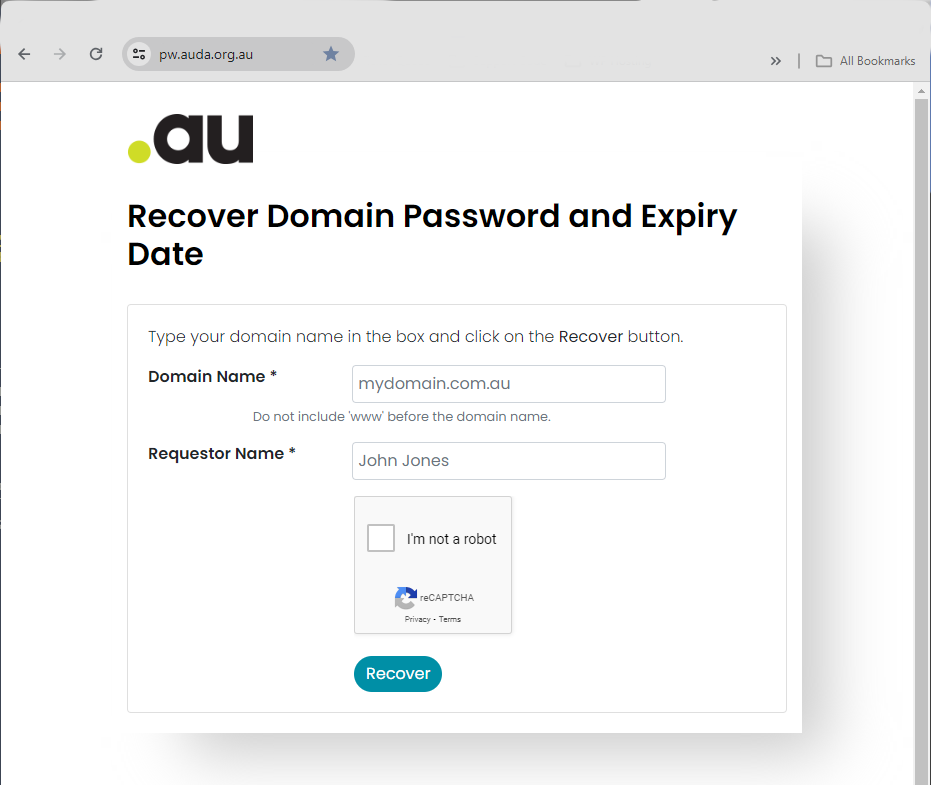
Specifically for domains in the .AU namespace, the EPP code/domain password can be retrieved directly from the Australian Domain Administration (auDA) site by visiting “pw.auda.org.au“.
Once you have your domain’s EPP code, please visit our domain registration page, networdynamics.com/domains, and click “search” to find your domain name.
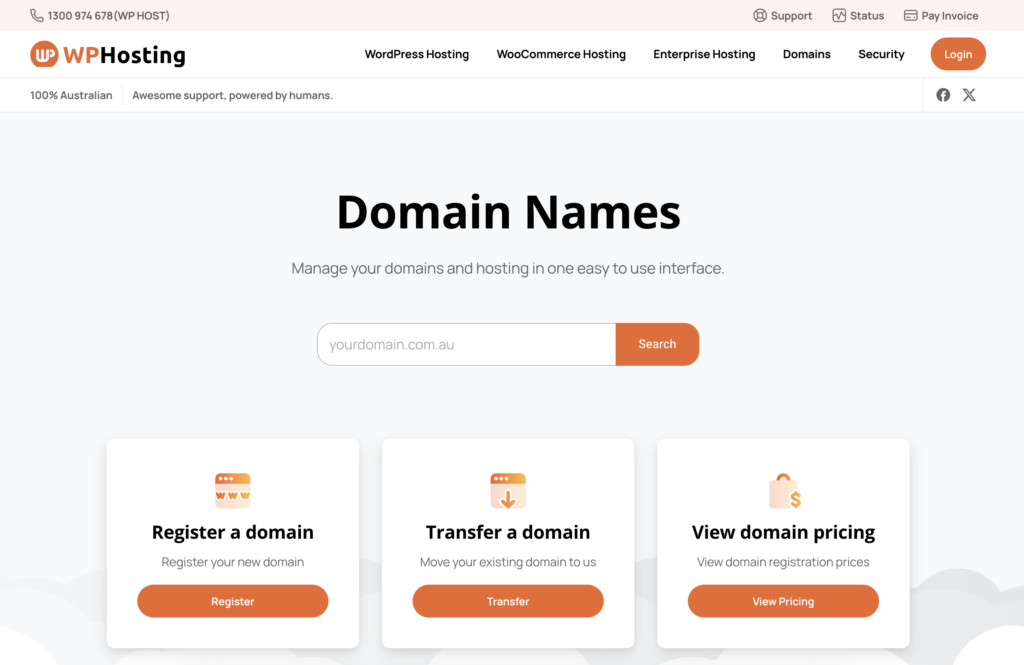
On the next screen, under Domain Configuration;
- Click the “Transfer Domain” option
- Then, ‘Add to Cart‘
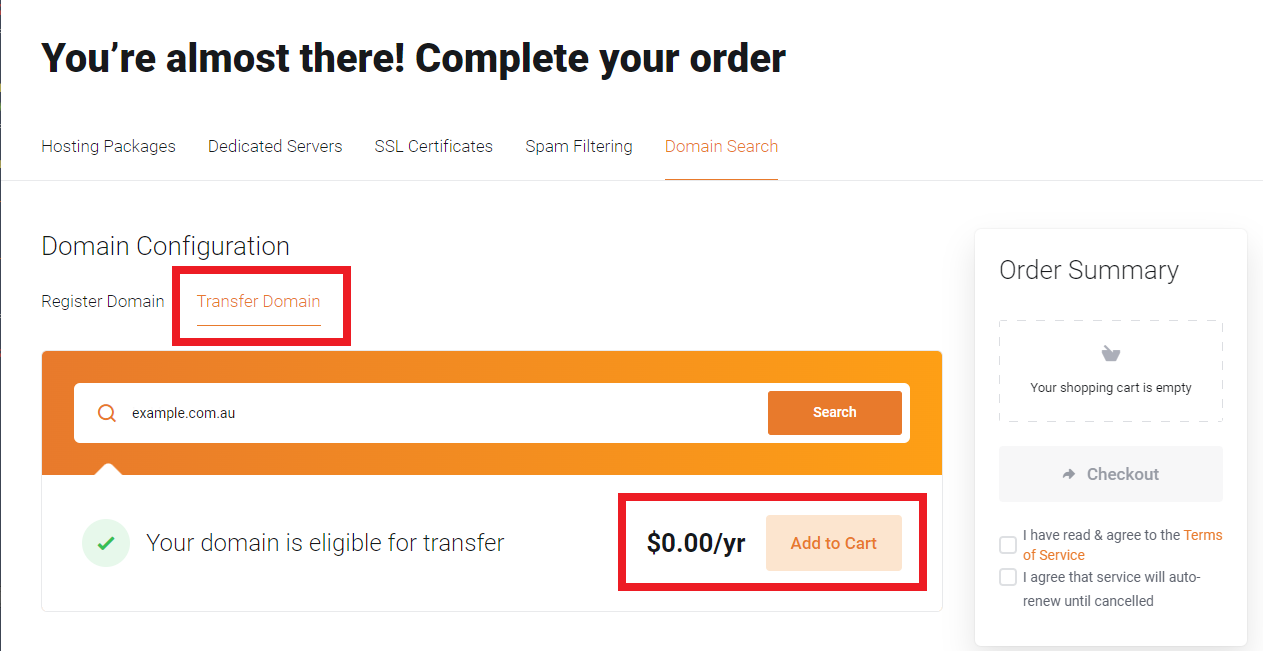
You’ll be asked to enter the EPP code when completing the checkout process.
PLEASE NOTE: If you’re transferring a .AU domain, there is no cost involved. Other domains such as .com, will require you to renew when transferring and will be the cost of 1 year renewal.