You will need to be logged into the cPanel account to follow the steps.
If you’re not sure how to access your cPanel service — please, follow this guide before continuing: How do I Login to cPanel?
What is an alias domain? #
An alias domain (sometimes called a parked domain) lets you point another domain name to the same website as your main domain.
This is handy if you own different versions of your business name — for example, a .com and a .com.au — and want them both to show the same websitIn short, an alias simply shows the same website as your main domain.
To create an alias/parked domain #
1. First, login to cPanel
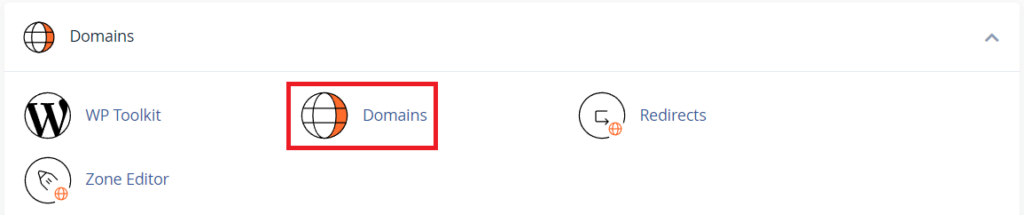
2. Navigate to the ‘Domains’ tool
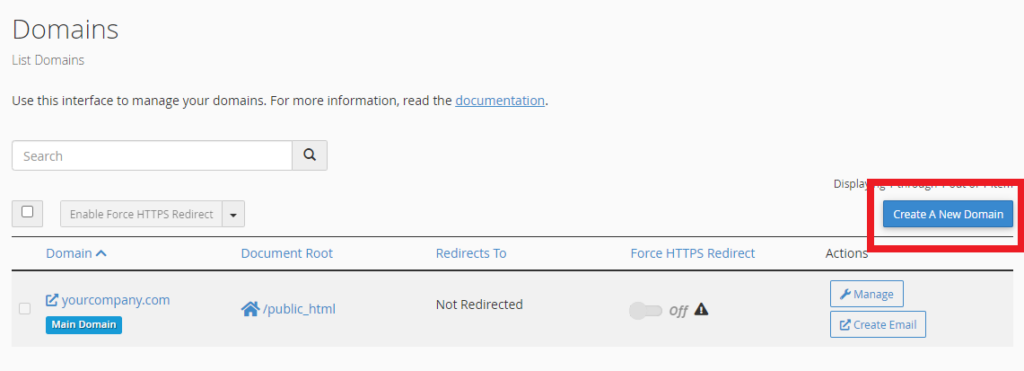
3. Next, click the ‘Create A New Domain‘ button
4. Enter the alias / parked domain in the ‘Domain‘ field
5. IMPORTANT – ensure the ‘Share document root‘ option is checked to make an alias
6. Click ‘Submit‘ when you’re done
A note for domains using external DNS services #
PLEASE NOTE: If your domain’s DNS is managed externally, with Cloudflare for example, you will need to manually create A records for your new domain via the external service.