Scanning for sites with WordPress Management
Not seeing any sites in the WordPress Management?
If you've never used the WordPress Management or recently added a WordPress site, manually, to your hosting/cPanel service, you may not see the sites listed in the dashboard.
If you're not seeing a particular WordPress site, or any at all, you can initiate a scan that will force the WordPress Management to search for any WordPress sites on the server.
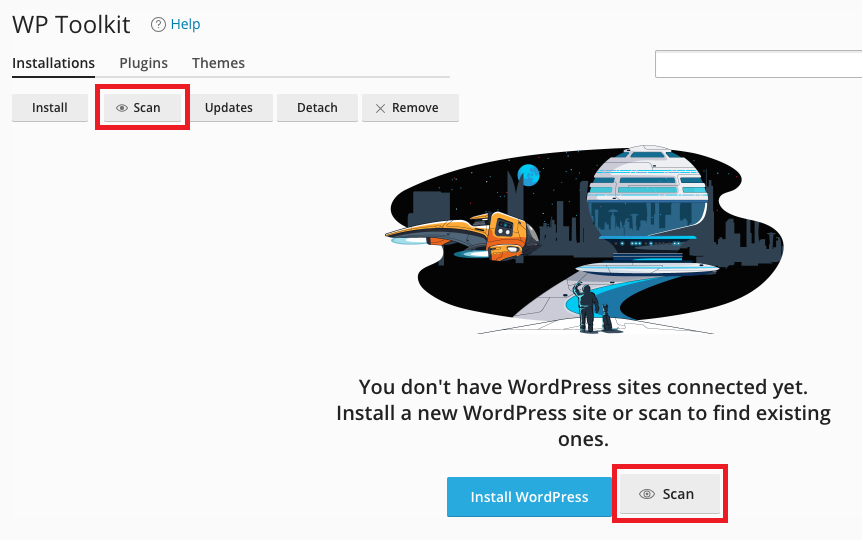
If there are WordPress sites on the server but they aren't showing:
- Click the 'Scan' button to search for WordPress installations
If no WordPress sites are found during the search, you can install a new instance of WordPress:
- Click 'Install' and follow the on-screen prompts
IMPORTANT NOTE:
If you are certain that you have a WordPress site installed on the server, but it is not being shown in the Toolkit, please check the site's root document folder for a file named ".wp-toolkit-ignore".
- If the .wp-toolkit-ignore file is present, the WordPress Management will not acknowledge the site when scanning.
- To include an ignored/disconnected site, simply delete the .wp-toolkit-ignore file and re-scan in the Toolkit.