Im new to WordPress and I need help
Im new to WordPress and need guidance on getting started. Whether you're launching your first website or trying to understand themes, plugins, and settings, WordPress provides a flexible platform for building and managing your site. Then, this guide will help you navigate the basics and point you to useful resources.
What is WordPress?
WordPress is a powerful Content Management System (CMS) that allows you to create and manage websites without needing to write code.
Whether you're starting a blog, business website, or an online store, WordPress provides the tools and flexibility you need.
Getting Started
Creating Your WordPress Website
- Sign Up for WordPress Hosting: If you do not already have a web hosting account, you can visit our WordPress hosting product page to browse available plans and select the one that best suits your needs.
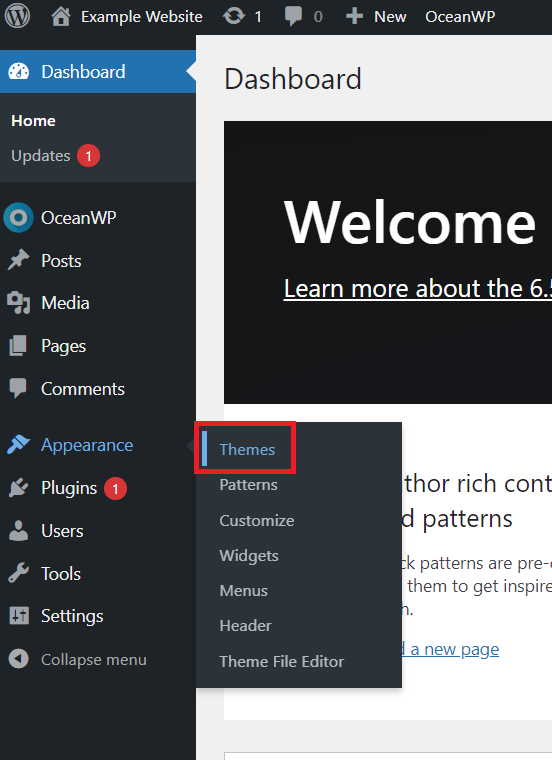
- Choosing a Theme: If your WordPress theme defines how your site looks and functions. Then, pick one that aligns with your site's purpose and enhances user experience through its design, layout, and customization options.
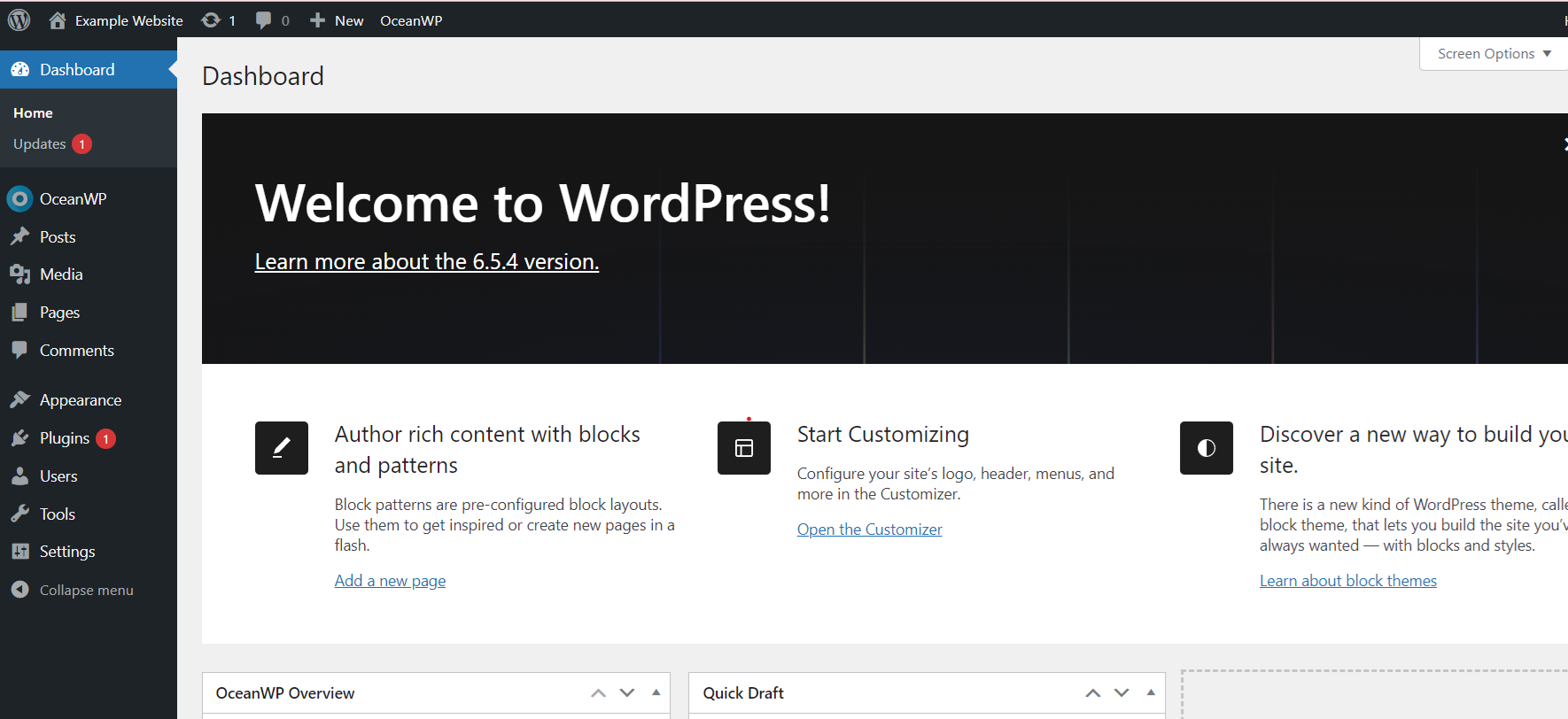
Understanding the Dashboard: Familiarise yourself with the WordPress dashboard, where you'll manage your site's content, appearance, and settings.
Basic Site Configuration
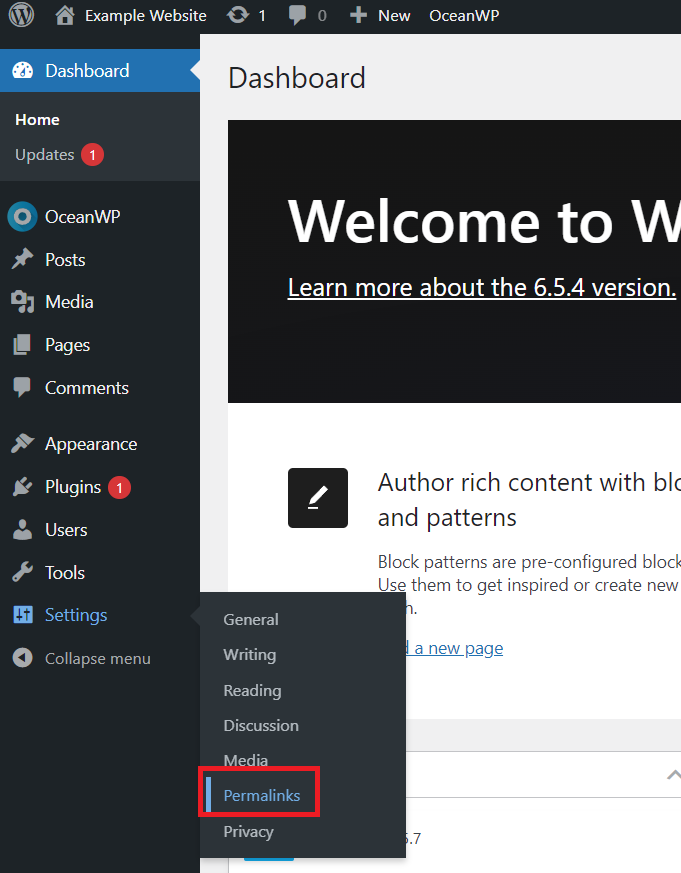
- Setting Up Permalinks: Configure your site's permalinks (URL structure) under Settings > Permalinks.
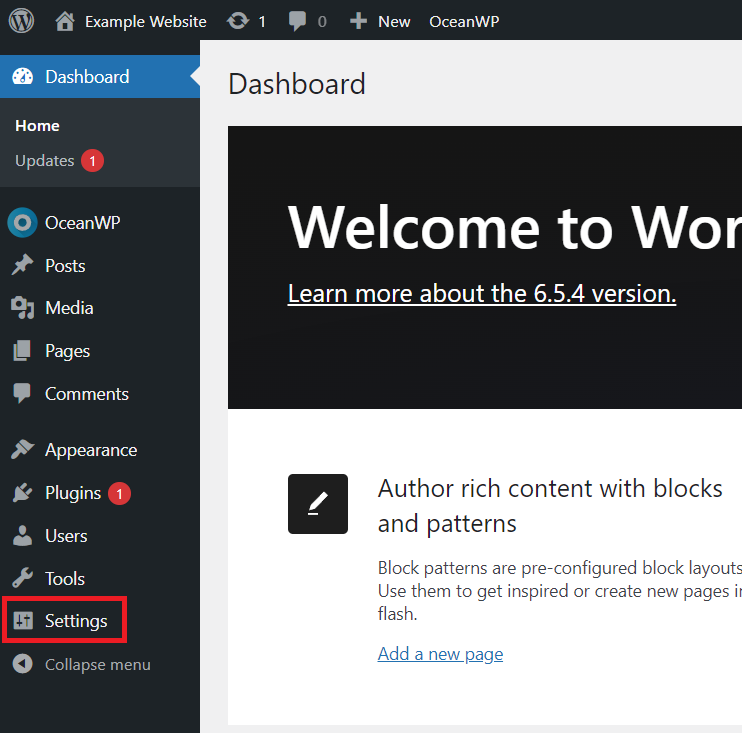
- Customizing Settings: Explore and adjust general settings, reading settings (front page
displays), and discussion settings according to your preferences.
Creating Content
- Adding Pages and Posts: Understand the difference between pages (static content) and posts (dynamic content like blog entries).
- Pages are typically used for static content that remains relevant over time, such as an About Us page, Your site's main navigation menu often includes pages like Contact or Services for easy access.
- Posts for instance, they are commonly used for news updates, articles, or any content where the order of publication matters. Categories and tags organize them, making it easier for users to find related content.
- Inserting Media: In addition, learn how to add images, videos, and other media to your posts and
pages.
Extending Functionality with Plugins
- Installing Plugins: Discover and install plugins to add features such as contact forms,
SEO tools, e-commerce functionality, and more. Here is a simple guide on how to add a plugin on your WordPress site.
Managing Your Website
- Updating WordPress: Regularly update WordPress core, themes, and plugins to ensure
security and functionality.
- Backing Up Your Site: Implement a backup strategy to protect your website's data. Here, you can effortlessly back up your site with just a few clicks using JetBackup 5. For more information, refer to our guide on using JetBackup 5 for backing up or restoring your site/files.
WordPress offers limitless possibilities for creating and managing websites. As you gain experience, you'll discover its flexibility and power in building a website tailored to your needs.
Conclusion
If you're new to WordPress, don’t worry-learning the platform takes time, but there are plenty of resources available to help. Explore WordPress documentation, join community forums, and practice using different features to build your skills. Finally, the more you explore, the more comfortable you'll become with managing your site.