Get a copy of a Live Chat transcript
If you'd like a copy of the transcript from your Live Chat session with Network Dynamics support staff, you can have it sent to your preferred email address once the chat session ends.
To do this, please follow the steps below:
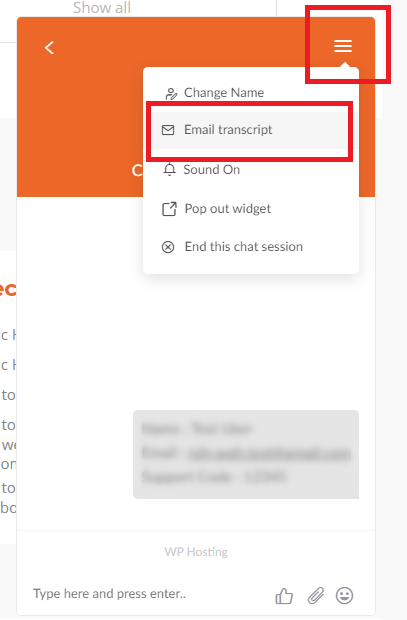
1. While in the chat window, you'll see a "burger menu" (3 horizontal lines) button in the top-right.
2. Click the 'burger menu' and choose 'Email Transcript' from the drop-down options.
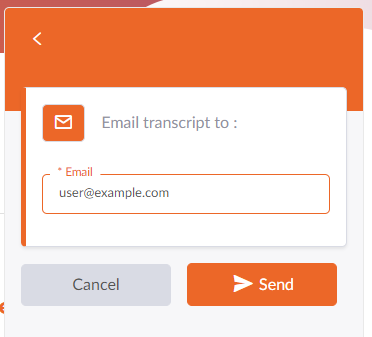
3. Then, enter your email address in the *Email text field
4. Click the 'Send' button when you're ready
5. That's it. You'll soon be emailed a copy of your transcript shortly after you end the chat session
In conclusion, requesting a copy of a Live Chat transcript is an excellent way to keep a record of your conversation with our support team. This transcript serves as a valuable reference. It ensures you have all the necessary details to follow up on any issues or discussions.
Once your chat session ends, don't hesitate to ask for a copy of a Live Chat transcript. We will send it to your preferred email address. This simple step helps you maintain clarity in your communications and supports any future interactions with our team.