Initiate a Change of Registrant request (COR)
This topic covers processes relating to a cPanel service.
You will need to be logged into the cPanel account to follow the steps.If you're not sure how to access your cPanel service, please follow this guide before continuing — How do I login to cPanel?
What is a Change of Registrant (CoR)?
A Change of Registrant (CoR) is the process used to update the legal owner of an .au domain name. This is required whenever the ABN, ACN, RBN, or eligibility type linked to the domain changes.
Common examples include:
- Changing ownership due to the business being sold or transferred
- Transferring the domain to a different ABN or ACN
- Replacing an ABN or ACN that has been cancelled
A Change of Registrant (CoR) process must be followed to ensure the domain's registrant details are modified securely and in compliance with AU Domain Administration (auDA) policies.
Important note
Completing a Change of Registrant (CoR) renews the domain for at least 1 year, and up to 5 years. This renewal will incur a fee equivalent to the current domain renewal cost, multiplied by the number of years chosen when submitting the COR request.
Please also note that changing the registrant will reset the domain's licence period, and any full years already on the domain will carry across.
Why you might need to complete a COR
There are several situations where a COR is required for a .AU domain, including but not limited to:
Business changes
- Business ownership change: The domain is being transferred as part of the sale or acquisition of a business and its assets.
- Company restructure: A business has moved from a trading name or sole trader to a registered company (e.g. Pty Ltd), and the domain registrant details must reflect the correct legal entity.
Ownership or usage changes
- Personal to business use: A domain registered by an individual is now being used by a business and needs to be moved under the correct legal entity.
- Website sale or handover: The domain is included in the sale of a website, brand, or digital asset.
Eligibility issues
- Incorrect ABN or entity type used: If a domain was registered with incorrect or ineligible details (such as a trust entity ABN instead of the trustee company or individual), a COR is required to correct the registrant entity and remain compliant with .AU policy.
Step 1 – To initiate a Change of Registrant
1. First, login to the Network Dynamics Client Area.
2. From the Client Area dashboard, click Domains.
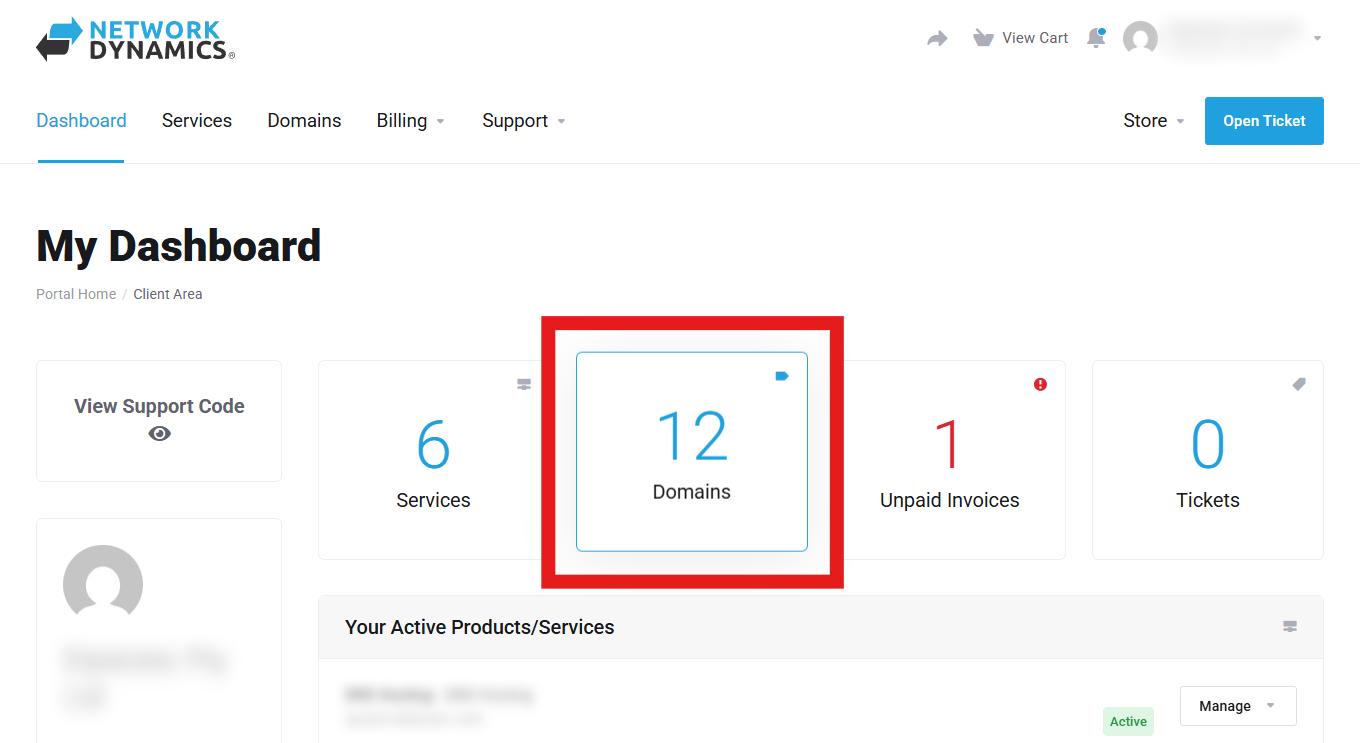
3. Here, you will see a list of your domains. Find the domain you want, then click the Manage button on the right.
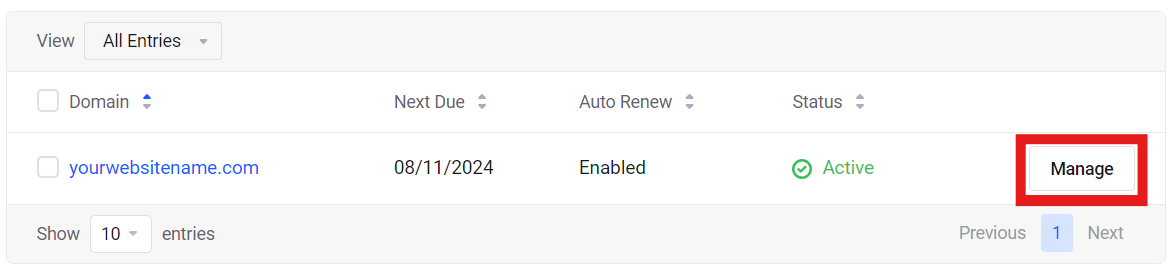
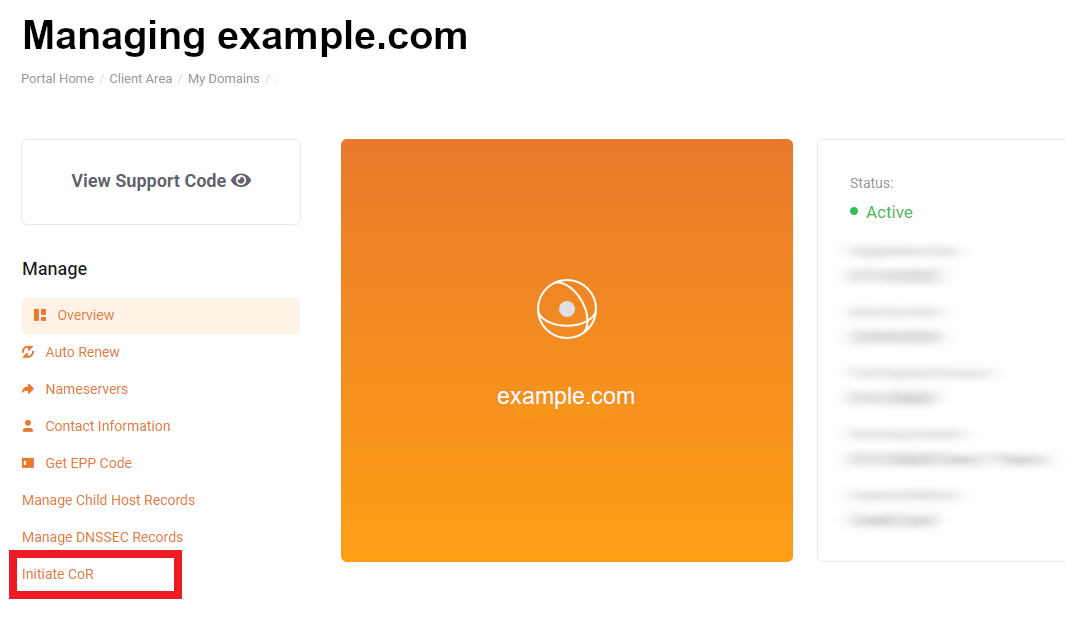
4. Next, click the Initiate COR button from the list of actions on the left.
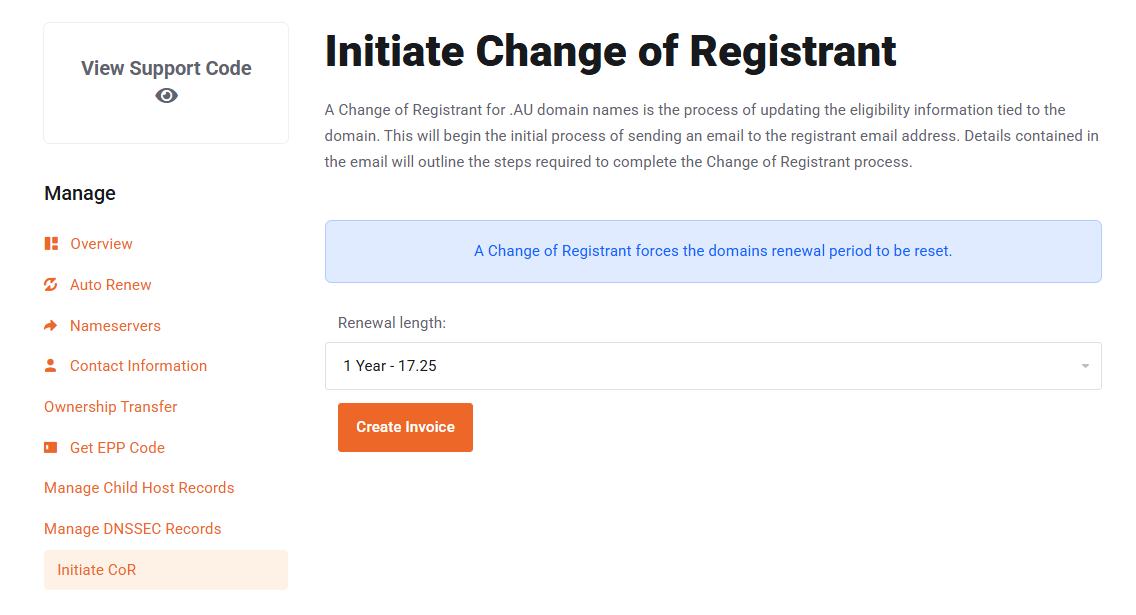
5. Choose a renewal period, 1 – 5 years, then click Create Invoice when you're ready.
REMEMBER: if the current registrant details are not valid, additional documentation will need to be provided. You can upload these documents during the process via the online form.
Step 2 – What happens next?
Once the COR invoice has been paid, the process is completed in a few steps via online forms.
Step 2a – Current Registrant Email
An email will be sent to the email address currently listed as the registrant contact address.
If you need to change this, please see this guide: How to update domain contact details.
- The current registrant contact will receive an email
- They will be asked to provide the new registrant's email address (this may be the same email address if the registrant is not changing person, company, or contact details)
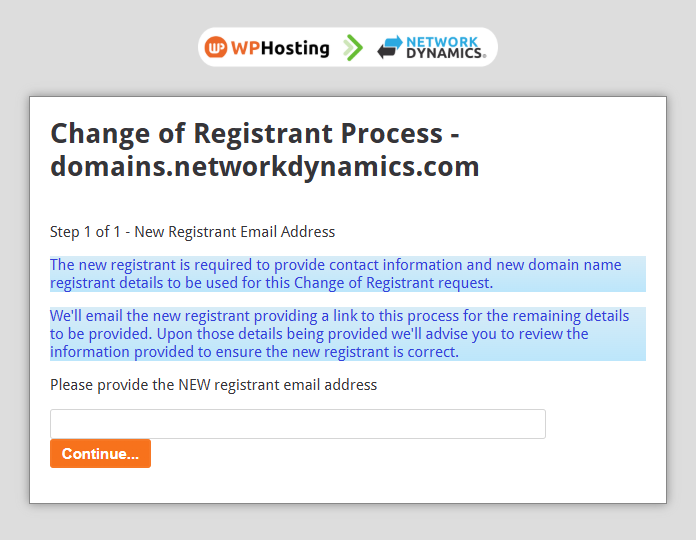
Step 2b – Document Upload (if required)
Documentation will be required if the current ABN/ACN is cancelled or ineligible.
If this is the case, you will be prompted to upload one of the following via the online form:
Company Letter
- Must be signed and dated before the previous ABN/ACN was cancelled
- Printed on company letterhead
- Must clearly state the transfer of the domain (including the full domain name)
Sales Agreement / Contract
- A signed agreement confirming the change of ownership
Statutory Declaration
- A written explanation outlining why and to whom the domain is being transferred
- Must be signed and witnessed by a Justice of the Peace (JP) or other authorised witness (unless using a Digital Statutory Declaration)
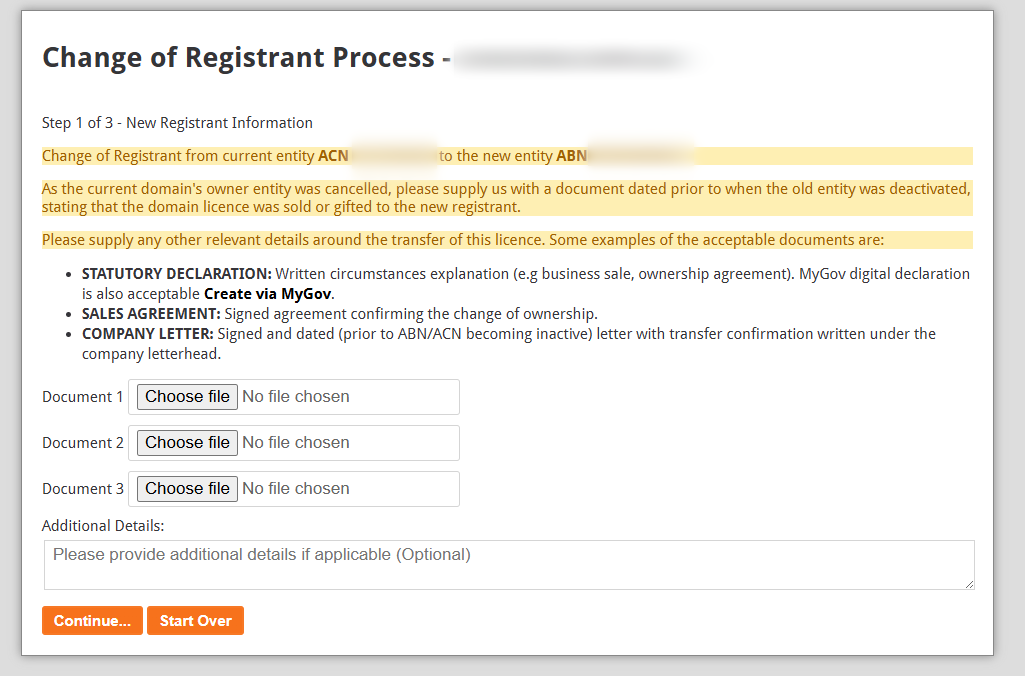
If additional documentation is required, you will see a message like the example above.
Important note about trusts
- A Trust ABN cannot be the registrant
- The Trustee (company or individual named in the Trust Deed) must be listed as the registrant
- The Trust ABN can still be used for eligibility details
- The domain registry system will detect Trust ABNs and prompt for Trustee information
Step 2c – New Registrant Email
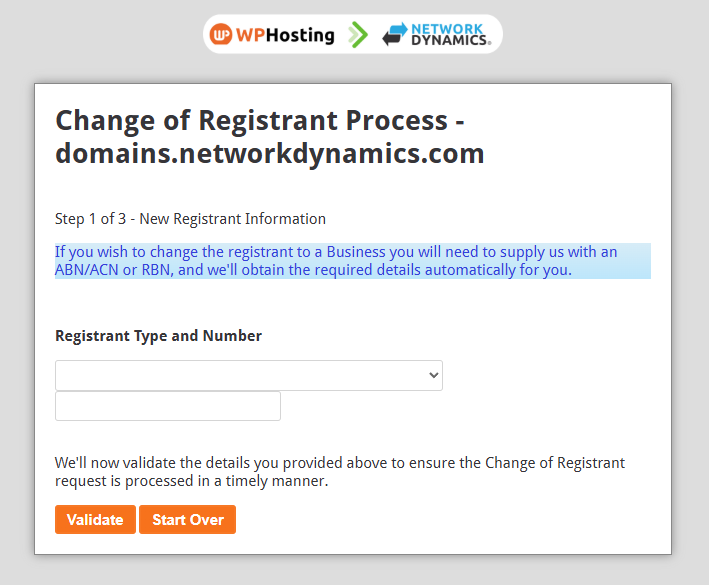
The new registrant (the email entered in Step 1) will receive an email requesting:
- Preferred Eligibility Method (Business or Individual)
- Registrant Type and Number (ABN, ACN, or personal details)
- The system will check the details (for businesses, an ABN/ACN lookup is performed)
They must confirm:
- Eligibility Name (from the lookup result)
- Eligibility ID (ABN/ACN)
- Eligibility Type (Company, Sole Trader, Individual, etc.)
Step 2d – Final Approval
- A final email is sent to the current registrant contact
- They must click to approve the transfer
- Once approved, the COR is complete (allow some time for approval before changes become visible)
Key points to remember
- A Change of Registrant (COR) is required when a domain's registrant details must be updated
- There can be many reasons for a COR
- You may need to provide additional documentation, depending on your situation
- Changing the registrant will reset the domain's licence period, but any full years will remain
- The cost of a COR is equal to the value of how many years you wish to hold the registration