How do I login to cPanel?
This topic covers processes requiring access to your Network Dynamics Client Area. If you’re not sure how to access the Client Area, please follow this guide before continuing - How do I Login to my Network Dynamics Client Area?
Important note
PLEASE NOTE:
- Logging into the cPanel service will open a new browsing tab/window
- If this doesn't happen automatically, check your web browser's pop-up settings to allow pop-ups from 'control.networkdynamics.com'.
Logging into your cPanel web hosting service is the first step to managing your website efficiently. In this comprehensive guide, you'll learn how to access cPanel using the 'one-click' login feature, which is straightforward and secure.
To log into your cPanel/hosting service
1. First, login to your Network Dynamics Client Area
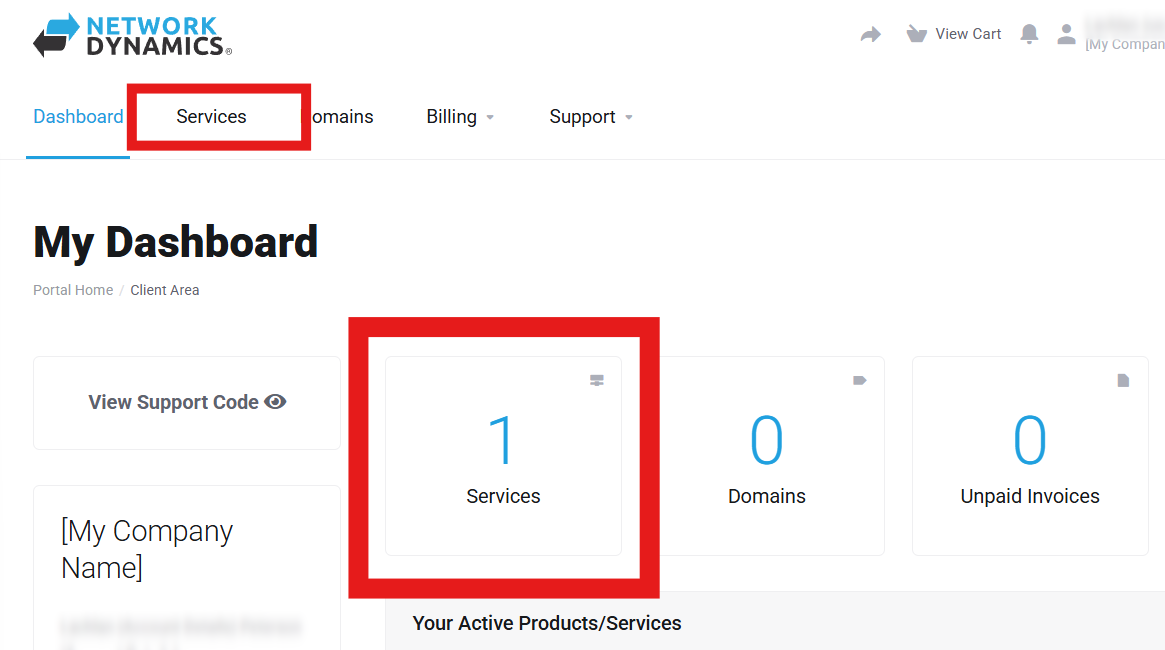
2. Next, click 'Services' in the menu at the top or from the Dashboard page.
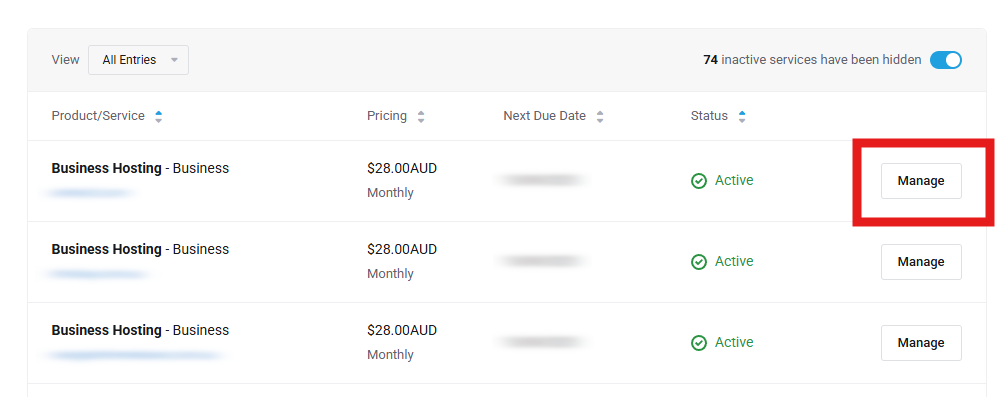
3. Next, locate the service you want and click the 'Manage' button.
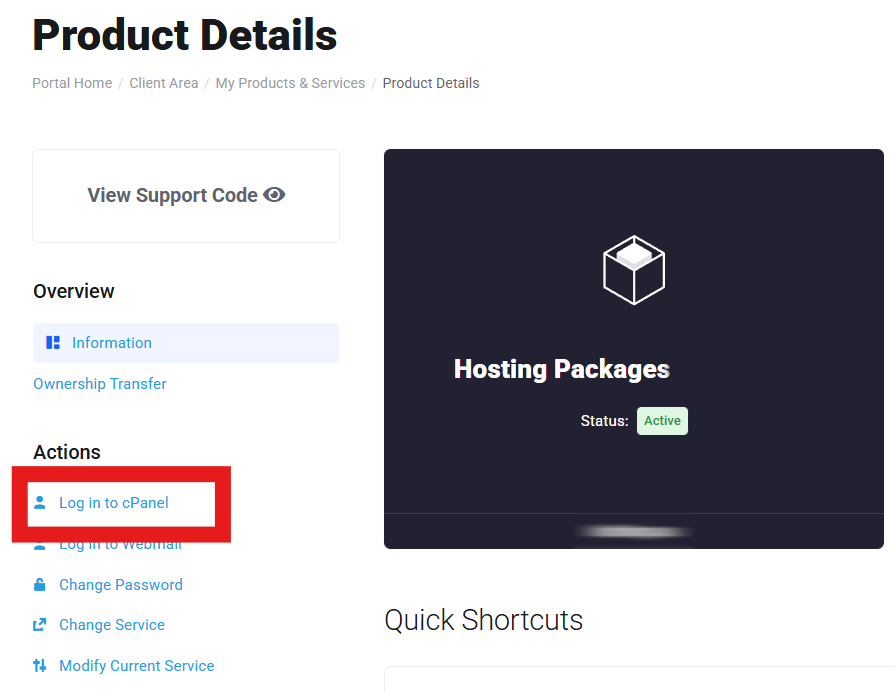
4. In the 'Actions' menu on the left, click 'Login to cPanel'
Conclusion
In conclusion, being able to log in to cPanel quickly and securely is crucial for effective website management. Consequently, by following these steps, you'll gain reliable access to your hosting tools and streamline your website operations. Furthermore, you'll enjoy the ease of a seamless login to cPanel, empowering you to take full control of your hosting service.