How to access Webmail
Log into Webmail / Roundcube
Webmail (sometimes referred to as 'Roundcube') is a web-based email application.
For cPanel-hosted email addresses, Webmail (Rouncube) can be used to access your inbox from any device with a web browser, connected to the internet, such as PCs, laptops, smartphones and tablets.
Depending on how your domain is configured, you can access Webmail by adding " /webmail " at the end or " webmail. " to the beginning of your domain.
- yourdomain.com/webmail
or - webmail.yourdomain.com
IMPORTANT NOTE: Be sure to replace "YOURDOMAIN.COM" with your own, actual domain name. e.g. https://networkdynamics.com/webmail
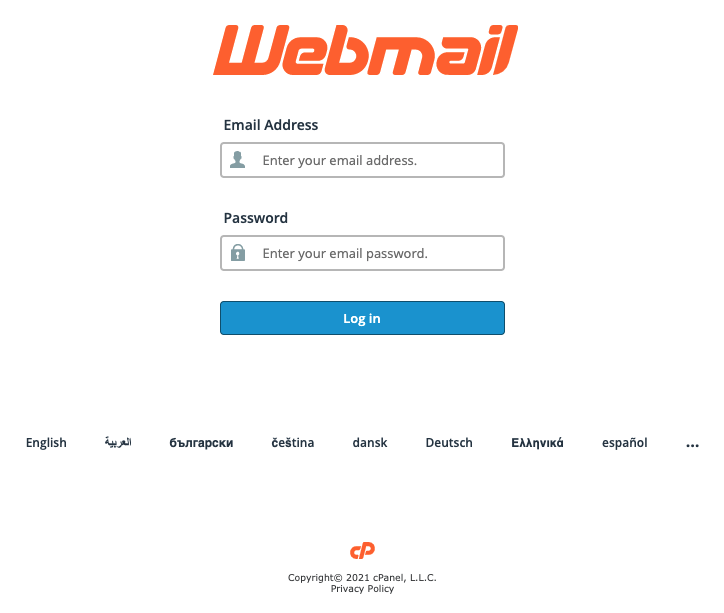
When visiting the Webmail URL, you will be shown a login screen, where you can enter the address and associated password of the email account you want to log in to.
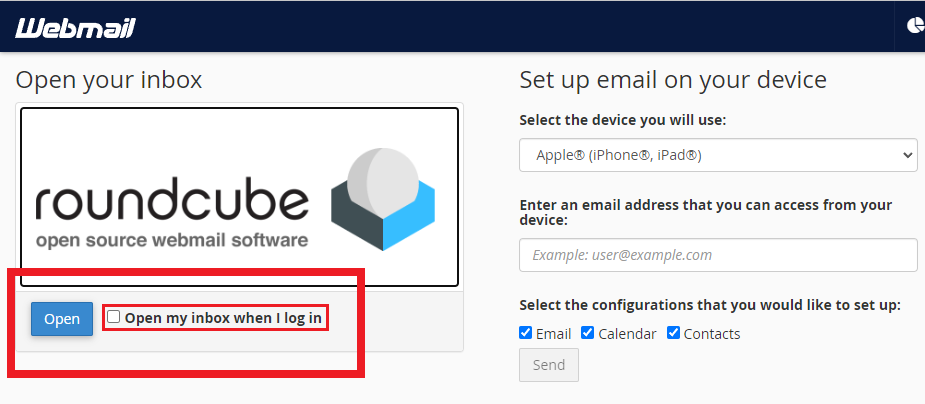
Please Note: If you are taken to the Webmail/Roundcube configuration page like the one below:
- Tick the "open my inbox when I log in" checkbox if you'd prefer to be logged into the mailbox automatically each time you log in
- Click 'open' to enter the mailbox.